Trade Portal
Stop Chasing Trades for Updates
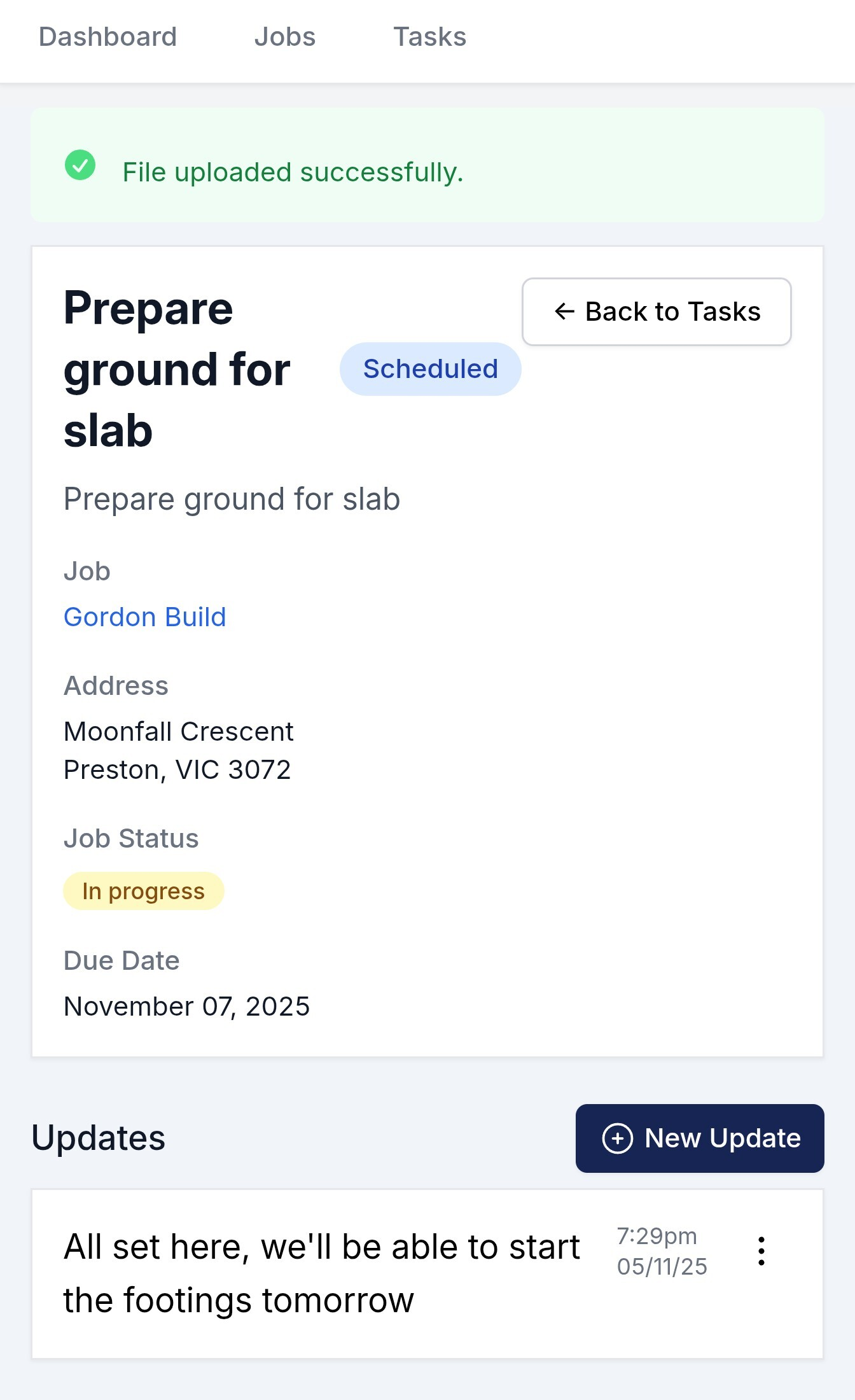
Give your trades access to their tasks. They update progress from their phones on site. You get real-time notifications. No more Monday morning calls asking "what happened last week?"
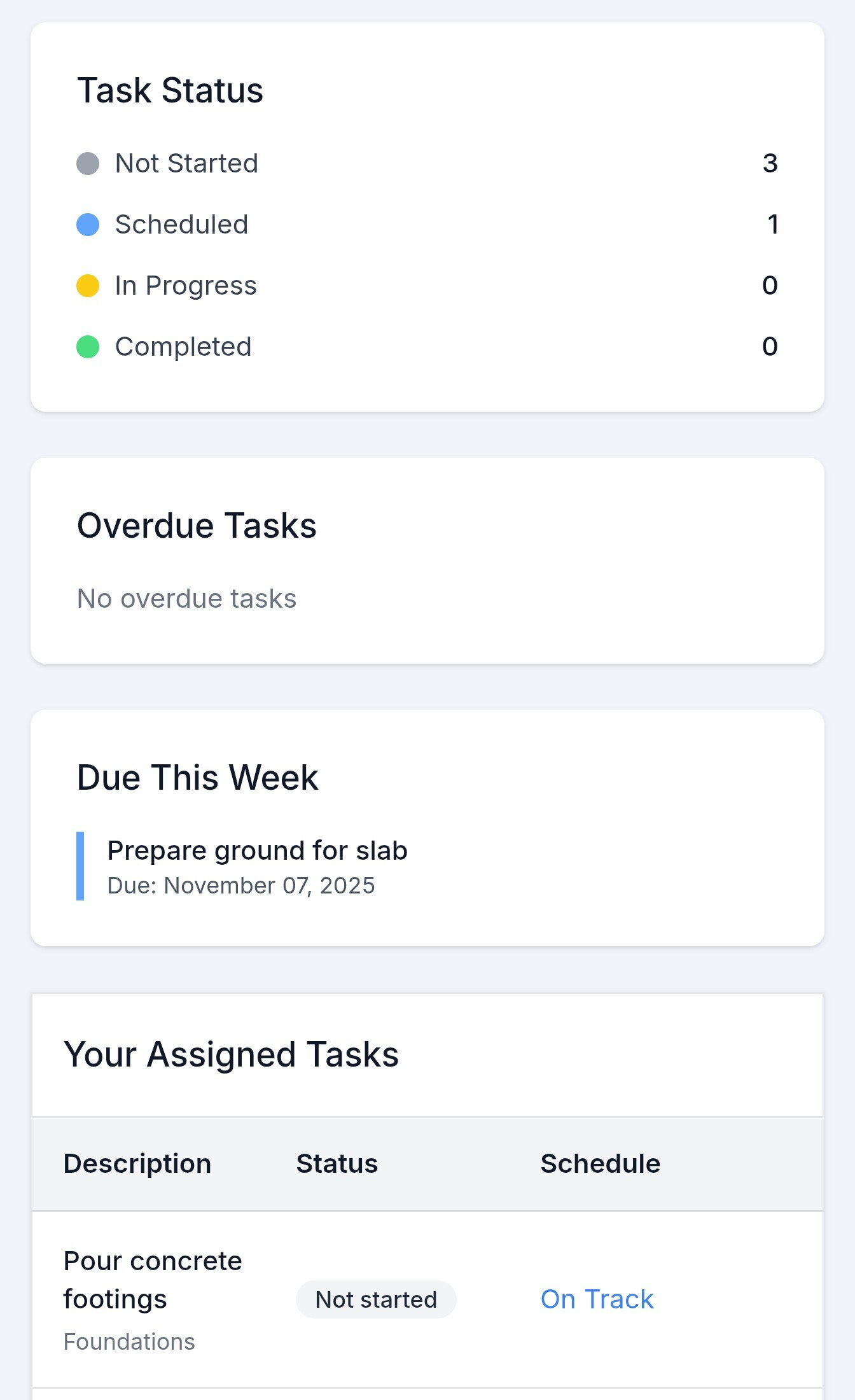
- Trades see only their tasks, not your whole project
- Report issues and delays immediately before they cascade
- Access plans, specs, and documents right from their tasks
- Upload progress photos to document completed work
The Trade Communication Nightmare
Coordinating Trades Shouldn't Take All Day
The Monday Morning Marathon
Every Monday you call 5-8 trades asking what they did last week and what they're doing this week. 2 hours gone before 10am.
The Progress Black Hole
You have no idea if the plumber finished rough-in or just hasn't called back. Is the tiler even on site today?
The Missing Information
Trade calls asking "What's the measurement for that wall?" or "Which fixtures did we order?" You're on another site and have to dig through emails to find the spec.
The Coordination Fail
Painter shows up but plasterer isn't done. Nobody told you plasterer was delayed. Now everyone's schedule is messed up.
Trades Update. You Stay Informed.
Real-Time Updates Without Making a Single Call
Trade-Specific Access
They See Their Work. Not Yours.
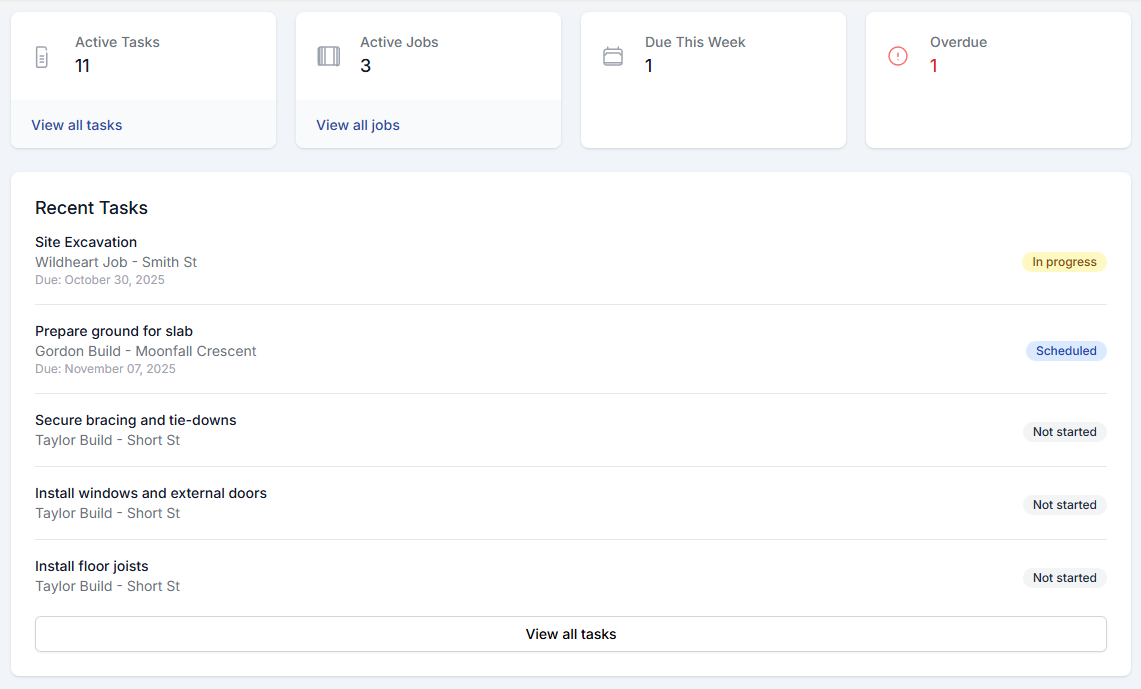
Each trade gets access to only their assigned tasks. Plumber sees plumbing, electrician sees electrical. Or show them the full project if they need context. You control what each service provider can see.
Task Documents & Specifications
Plans, Specs, and Details at Your Fingertips.
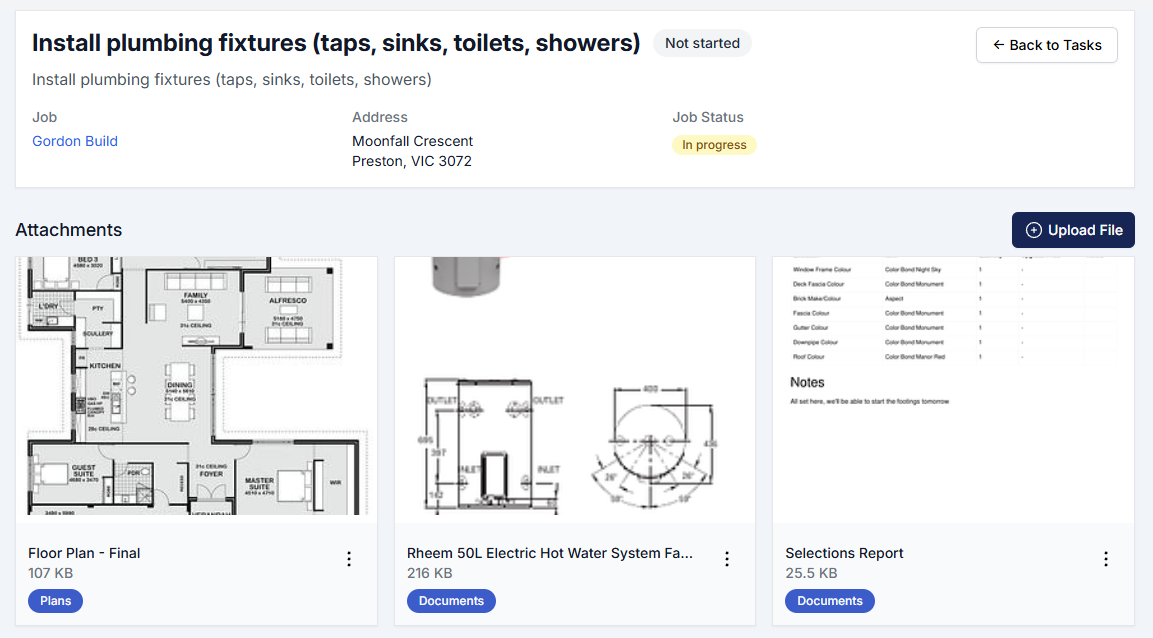
Trades access plans, specifications, and supplier documents attached to their tasks. Everything they need is linked right to the task they're viewing. No more "I didn't have the measurements" or calling for details.
Progress Photo Documentation
Document Your Work As You Go.
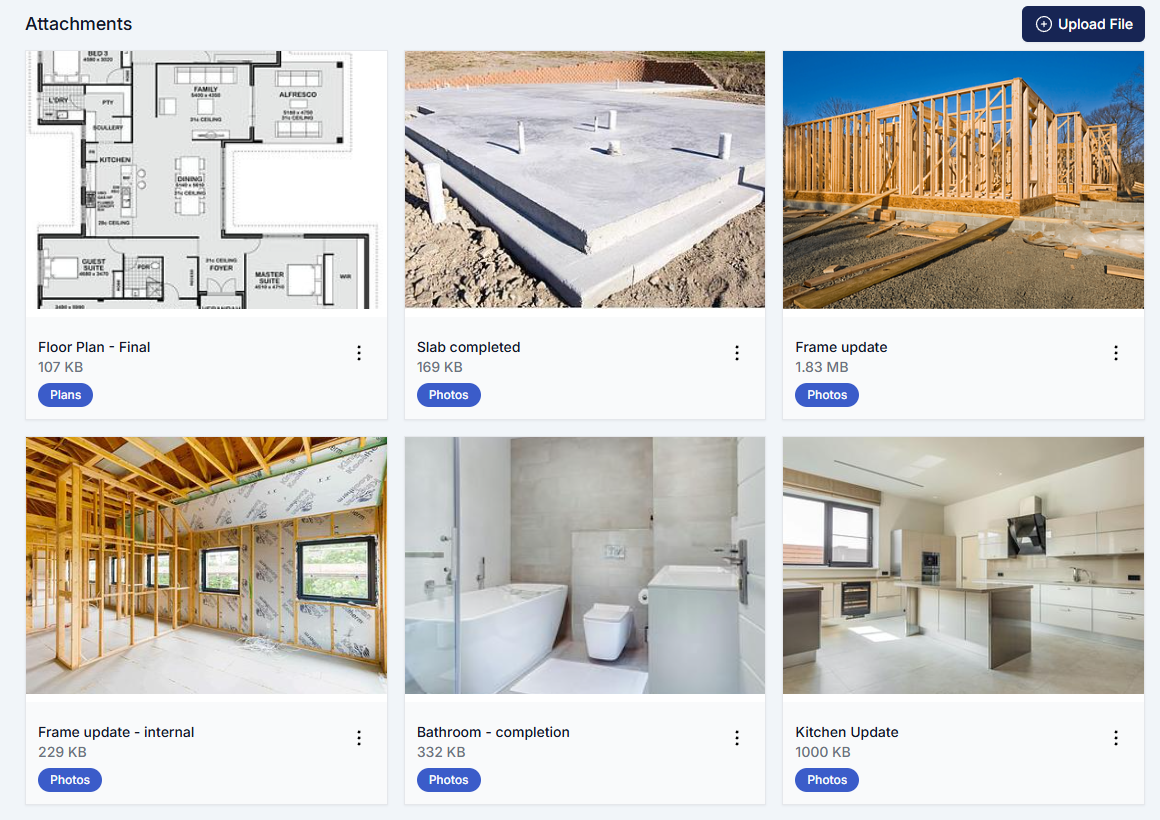
Snap photos of completed work or issues encountered right from your phone. Photos automatically attach to the specific task. Before/after documentation builds trust and creates records without extra paperwork.
From Setup to Coordination in 3 Steps
Add Your Service Providers
Add your regular trades to HomePulse once. Include their contact info, specialties, and compliance requirements.
30 minutes to add all your trades once
Assign Tasks on Each Job
Assign specific tasks to specific trades. Set what they can see - just their tasks or full project. Send them their access link.
5 minutes per trade per job
They Update, You Monitor
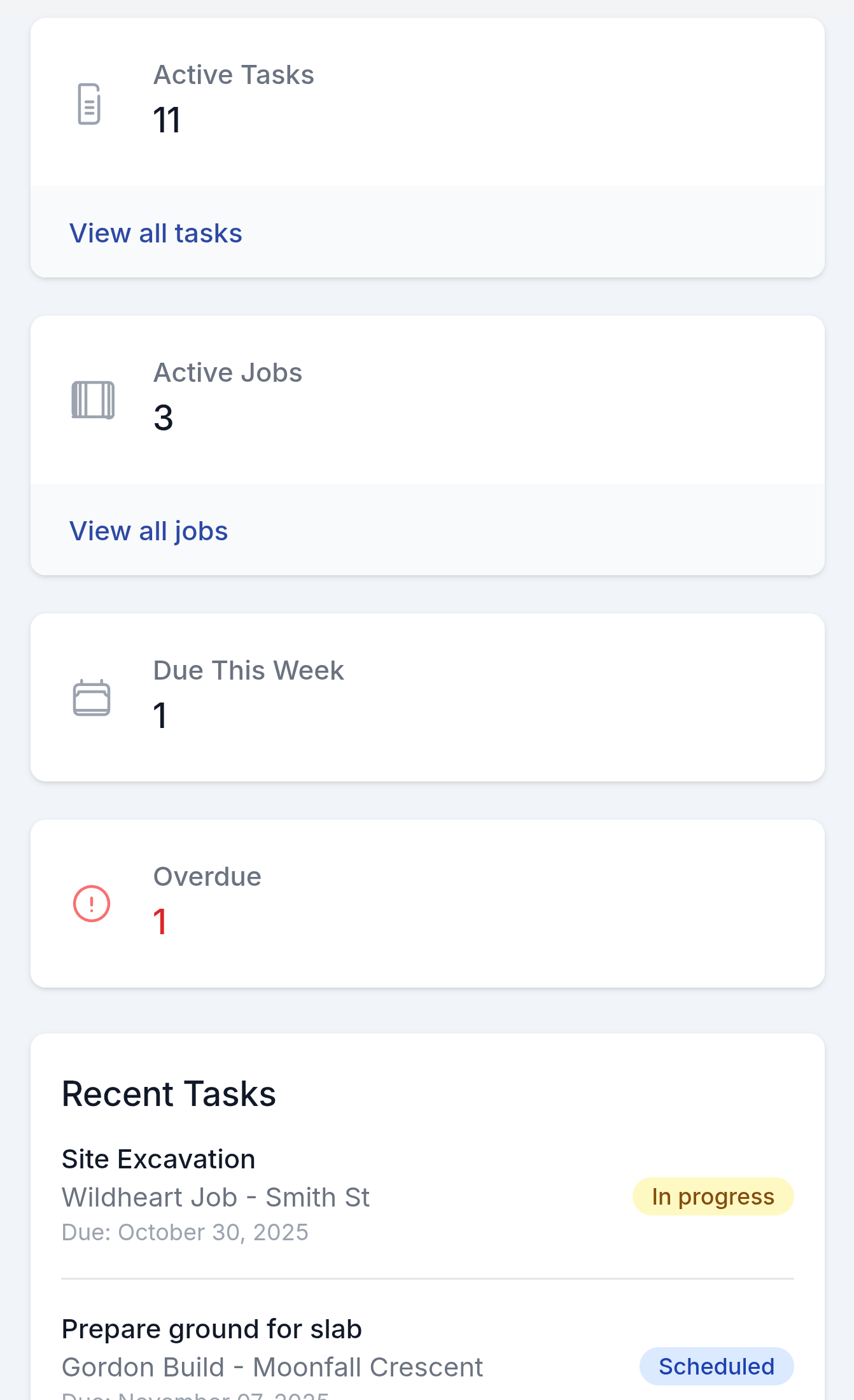
Trades update progress from site. You get notifications of completions and issues. Your dashboard shows real-time status across all jobs.
Zero time from you - trades do the updates
What Your Trades Will Love
Trades don't want to spend time on paperwork any more than you do. Make it easy for them.
No App Required
Works in any browser. Click the link you send, see their tasks. That's it.
Mobile-Friendly
Designed for phones. Big buttons, simple interface. Update while sitting in the truck.
Clear Task List
See exactly what needs to be done. No confusion about scope or sequence.
Photo Documentation
Take photos of completed work or issues. Automatically attached to tasks.
Quick Updates
Mark complete, add a note, move on. Takes 30 seconds, not 10 minutes of paperwork.
Reduced Phone Calls
Trades hate status call interruptions as much as you do. Now they update when convenient.
How Builders Use Trade Portals
The Delayed Rough-In
Situation:
Plumber encounters issue during rough-in, will be delayed 2 days
Portal Solution:
Plumber flags delay with photo and explanation. Builder sees immediately, adjusts schedule, notifies affected trades
Outcome:
Smooth adjustment instead of surprise delay cascade
The Photo Documentation
Situation:
Plumber completes rough-in. Builder is managing 3 other sites and can't inspect today
Portal Solution:
Plumber uploads 6 photos of completed work through portal. Marks task complete.
Outcome:
Work verified remotely with complete photo documentation for handover
The Progress Tracking
Situation:
Builder managing 8 active jobs, wants to know status across all
Portal Solution:
Opens dashboard, sees 6 trades have updated in last 24 hours, 2 need follow-up
Outcome:
10-minute review instead of 2 hours of phone calls
Frequently Asked Questions
No. You pay for HomePulse. Your trades access for free via links you send them.
Some won't. You can still manage them the old way while others use the portal. Over time, most trades adapt.
Only if you allow it. Default is they see only their own tasks.
Works on any device - phone, tablet, or computer. But most trades have smartphones in 2025.
Yes. Works for both. Many builders use it for subcontractors, employees, and suppliers.
Yes. They can add notes, ask questions, and upload photos. All communication documented on the task thread.
Yes. They see all jobs where you've assigned them tasks, organised by project.
You can revoke access anytime. They'll no longer see that job's information.
Ready to Stop Chasing Trades?
Join builders who coordinate trades in minutes, not hours.
30-day free trial • Unlimited trades • Mobile-optimised