Selections
Client selections software for Australian builders
Let homeowners choose finishes and fixtures online, see the upgrade price of every choice the moment they pick it, and approve selections without spreadsheets or email chains.
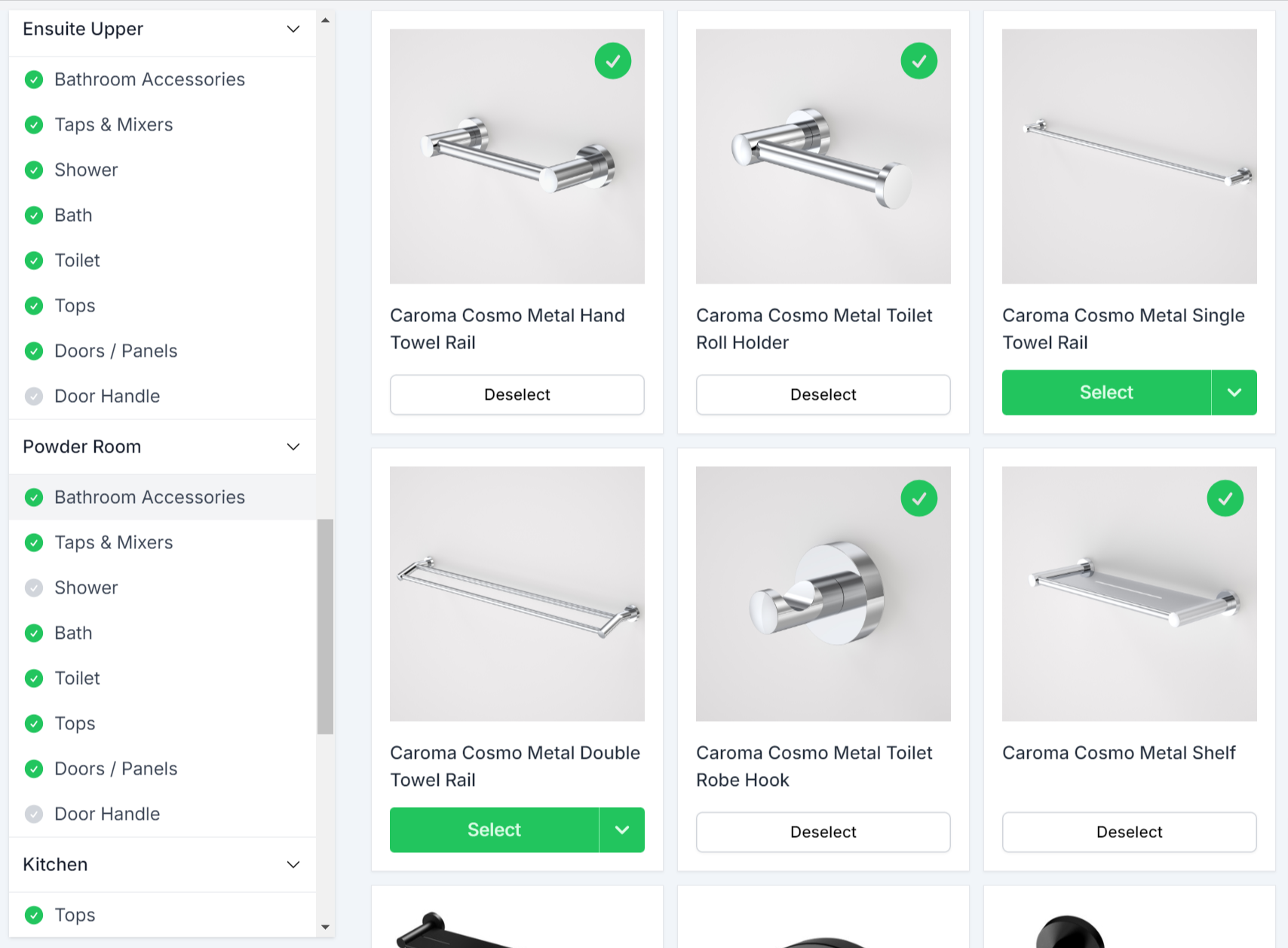
How it works, start to finish
- 1Set your standard inclusions and upgrade prices.
- 2Your homeowner chooses in the portal.
- 3The upgrade price and running total are visible immediately.
- 4You lock selections once they are settled.
- 5Chosen selections flow to your procurement screen and purchase orders.
Upgrade Pricing Example
| Kitchen benchtop | Upgrade |
|---|---|
| Laminate | Included |
| Porcelain | +$2,400 |
| Marble (slab not yet chosen) | P.O.A. |
More on allowance and upgrade tracking.
The Selections Management Challenge
You're Building Homes, Not Managing Spreadsheets All Day
The Selection Spreadsheet Nightmare
Tracking hundreds of client selections across multiple spreadsheets. Version control chaos. Did they finalise the tapware or not?
The Email Trail Hunt
Client asks "What did we choose for floor tiles?" You're scrolling through months of emails trying to find the decision they made.
The Pricing Update Problem
Supplier prices changed three months ago. Your selection sheets still show old pricing. Client approves, then you have to tell them it costs more.
The Decision Delay
Waiting for clients to make selections. Project delayed because they haven't chosen bathroom tiles. No visibility into what's outstanding.
Everything you need to manage selections
HomePulse empowers you to deliver exceptional outcomes for your clients. Simplify your workflow, enhance communication, and ensure quality.
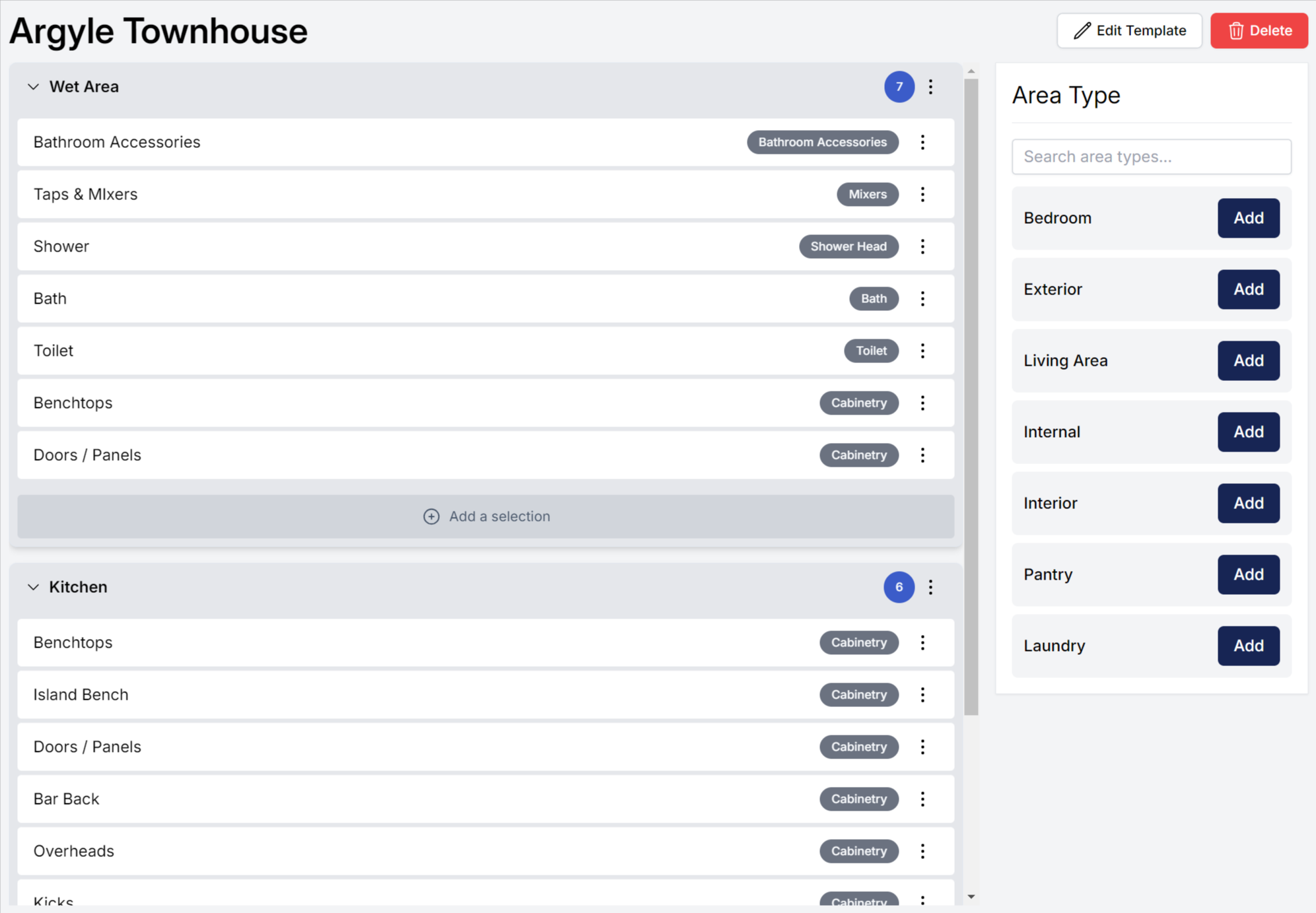
Smart Templates
Easy-to-Use Templates
Simplify project management with customisable templates. Organise selections and ensure consistency and efficiency across all your projects.
- Pre-built templates for common selection categories
- Customise fields and layouts to match your workflow
- Duplicate and reuse templates across multiple projects
- Ensure consistency with standardised processes
Client Portal
Online Client Portal
Provide a seamless selection experience with a comprehensive library of home options. Tailor the selection process to your project needs.
- Branded portal that matches your business identity
- 24/7 access for clients to view and make selections
- Real-time updates and notifications for clients
- Mobile-friendly interface for on-the-go access
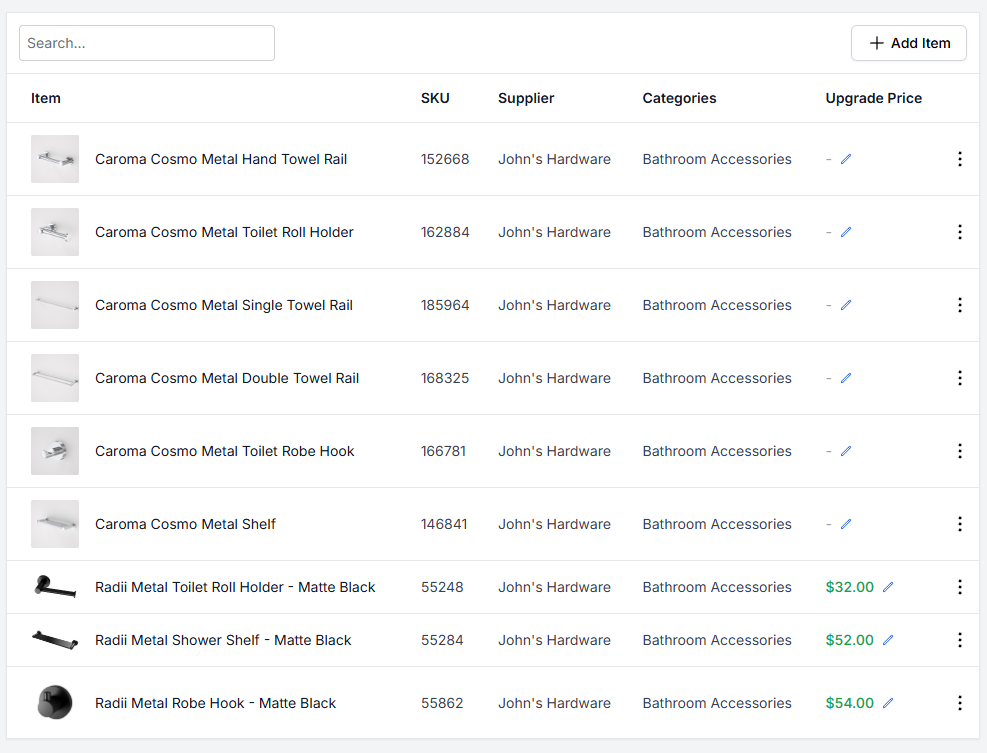
Library Management
Item Library
Maintain an organised selections library, manage suppliers and key contacts, and update items for client selections efficiently.
- Centralised database of products and suppliers
- Update pricing, SKUs, and product specifications
- Categorise items for simple addition to templated ranges
- Maintain product images and documentation in one place
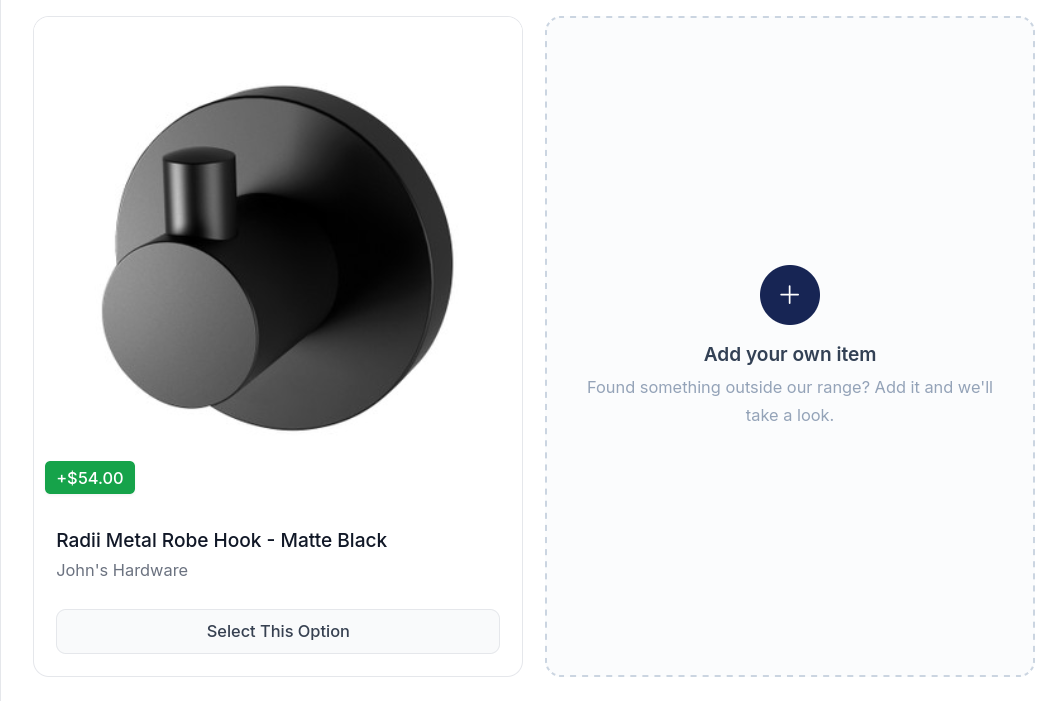
Beyond the Catalogue
Custom Items
Some selections have more options than any catalogue can hold, a feature wall colour most of all. On the selections you nominate, your client can put forward a product from outside your range, either in the client portal or with you in the showroom.
- Turn it on per job and choose which selections accept custom items.
- Clients add a photo, a name and a link.
- You approve, price and source it, or flag that the client will provide it.
- Approved items flow into totals, the selection report and purchase orders like any catalogue product.
How Builders Use Selections Management
The Volume Builder
Situation:
Managing selections for 20+ concurrent projects, losing track of what each client chose
Solution:
Every client has their own portal. See all outstanding selections at a glance. Track decision status across your entire business.
Outcome:
Zero confusion, faster project progression
The Custom Home Builder
Situation:
Clients want unique selections, extensive product library, complex upgrade pricing
Solution:
Unlimited product options. Dynamic upgrade calculations. Clients see pricing in real-time as they choose upgrades.
Outcome:
Professional presentation, clear pricing expectations
The Design-Focused Builder
Situation:
Working with interior designers and clients who want full visibility into selections
Solution:
Multiple portal users per project. Designers collaborate with clients. Everyone sees the same information simultaneously.
Outcome:
Seamless collaboration, fewer miscommunications
Streamlined Selection Workflow
Purpose-built for how builders and clients make selections together.
Real-Time Client Access
Clients review selections from home at their convenience. See product images, specifications, and pricing. Make decisions without scheduling meetings.
Automated Notifications
Clients get notified when new selection categories are ready. You get notified when they make decisions. No more chasing updates.
Centralised Product Library
All your products, suppliers, and pricing in one place. Update once, reflects everywhere. Never send outdated pricing to clients.
Selection Status Tracking
See exactly what's pending or approved. Know which selections are holding up the project. Keep everything moving forward.
Frequently Asked Questions
Can we upload our existing product library?
Yes. Import your current products, suppliers, and pricing. Or start fresh and build your library as you go. Completely flexible to your workflow.
How do upgrade prices work in the client portal?
Set base inclusions and upgrade pricing. When clients choose upgrades, they see the price difference immediately. Complete transparency before they approve.
Does the homeowner see how each choice affects their allowance?
Yes. Any additional cost beyond their existing inclusions is clearly marked on each item, and shown in a running tally as selections are made.
What happens when a client's choices exceed their allowance?
The upgrade total is visible to both the client and you, ready to be signed off either on your selections schedule or as part of a variation.
Can we control when clients see each selection category?
Absolutely. Release categories in the right order for your process. Kitchen selections first, then flooring, then fixtures - whatever sequence works for you.
What if we have standard packages plus custom options?
Perfect. Create template packages for standard builds. Customise for specific clients. Mix and match as needed for each project.
Can multiple people access the same selection portal?
Yes. Husband and wife, or client and their interior designer. Multiple portal users can collaborate on the same project selections.
Can we sign off on completed selections?
Absolutely, a finalised selections document can be generated and signed by both builder & client.
Can we stop clients changing selections after sign-off?
Yes. Lock selections once they are settled, either one area at a time or across the whole job, and the client can no longer change them.
Do we have to use selections if we only want other features?
No. Pick the modules that fit your business. Some builders use selections heavily, others focus on project management or client portal. Your choice.
See HomePulse in action
Book a personalised demo to discover how HomePulse can streamline your operations, reduce admin overhead, and help you deliver projects on time.
Book a demo